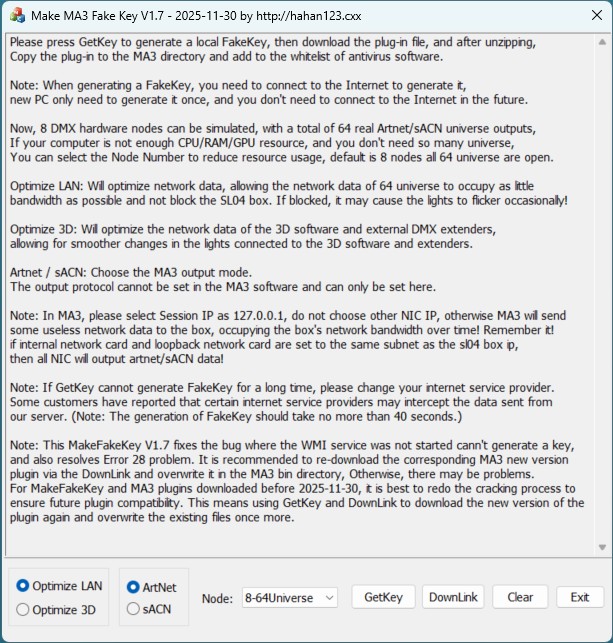
A Turkish customer and a European customer reported that MakeFakeKey could not generate an MA3 Fake Key on their computers and showed an Error 28 message. This message indicates an error in obtaining the computer’s hardware information. It is suspected that the customers’ computers may not have the WMI service running. By default, the Windows WMI service is enabled, and it is unclear why this issue occurred on the customers’ machines.
The bug has now been fixed. The new version of MakeFakeKey is V1.7 – 2025-11-30. It is recommended to download this new version of MakeFakeKey and also re-download the MA3 plugin, then copy it into the MA3 bin directory to overwrite, ensuring compatibility with future versions.
Some time ago, another customer emailed saying they had a batch of projector light that only support the sACN protocol and wanted to control them with MA3. Unfortunately, earlier versions did not support sACN output. Today, MA3 sACN protocol output has also been added.
Note: MA3 Artnet protocol and sACN protocol output modes can only be set in MakeFakeKey, not within MA3.
MakeFakeKey.exe download link:
http://down.hahan123.com/down_server/SuperLightBox/grandMA3_onPC/